UX Case Studies
IMPCAMP
Connecting learning paths, online lessons and content management.
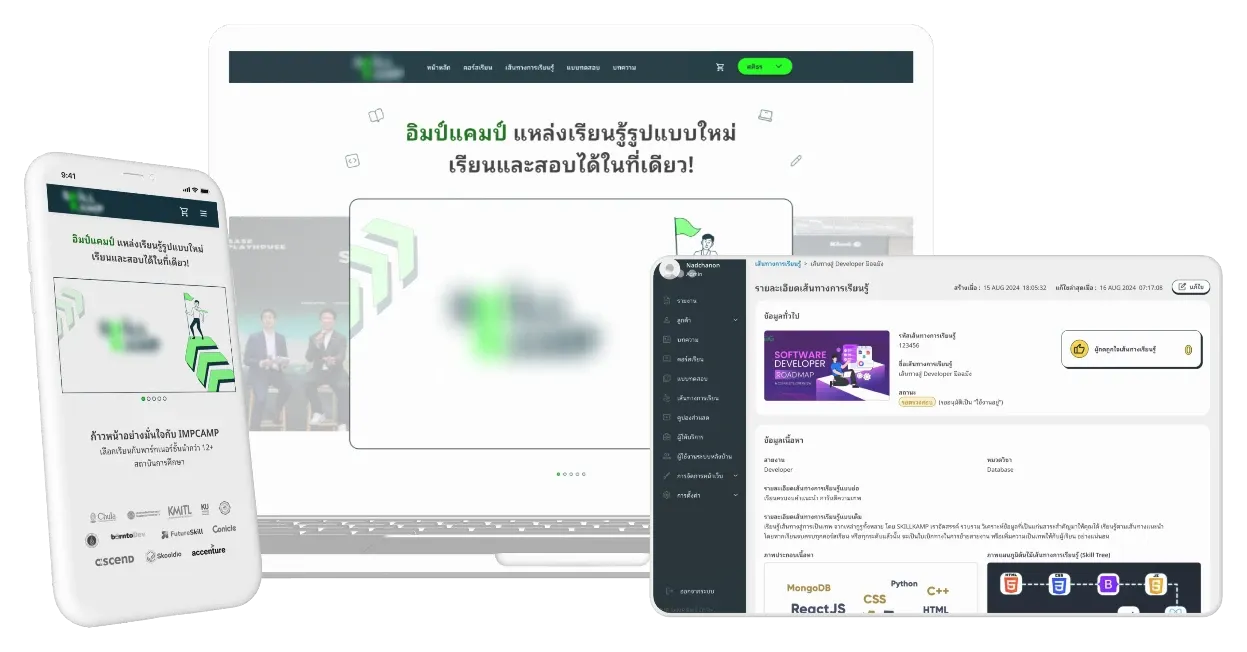
The goal
Design a learning platform for people pursuing IT careers, alongside a back office that makes content and data manageable for administrators.
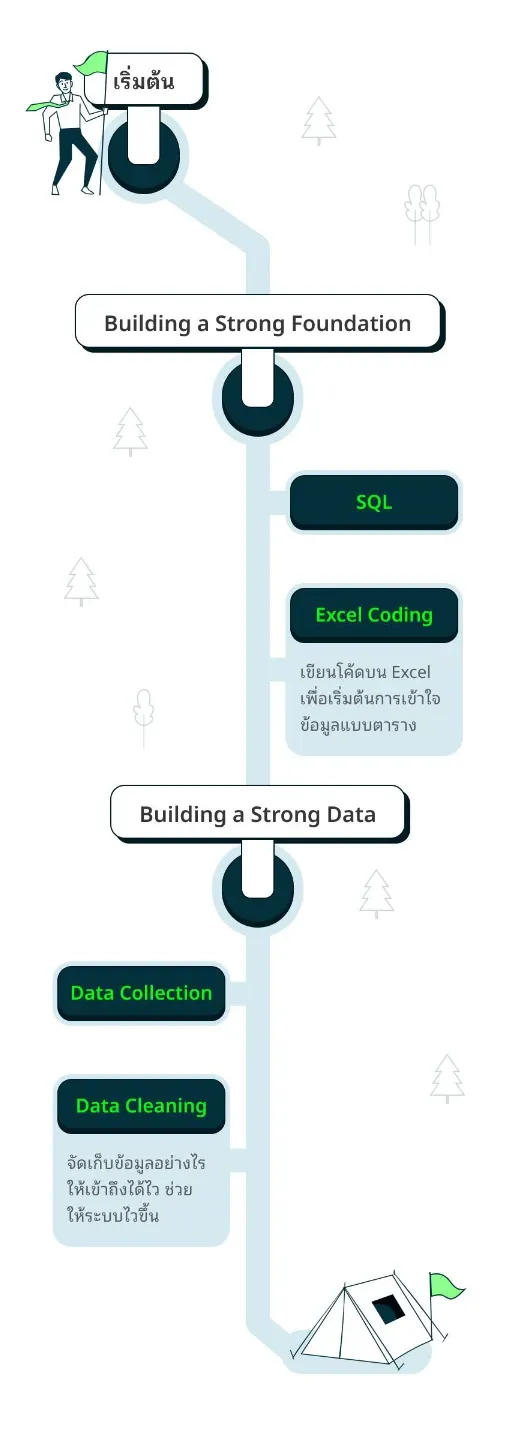
A learning path that can actually be built
The learning path needed to communicate the journey at a glance while letting learners explore each step. The challenge was keeping implementation manageable.
Used Figma Auto Layout to organize the path into rows and columns. Reusable connector patterns support dynamic data and give developers a clear structure to implement.
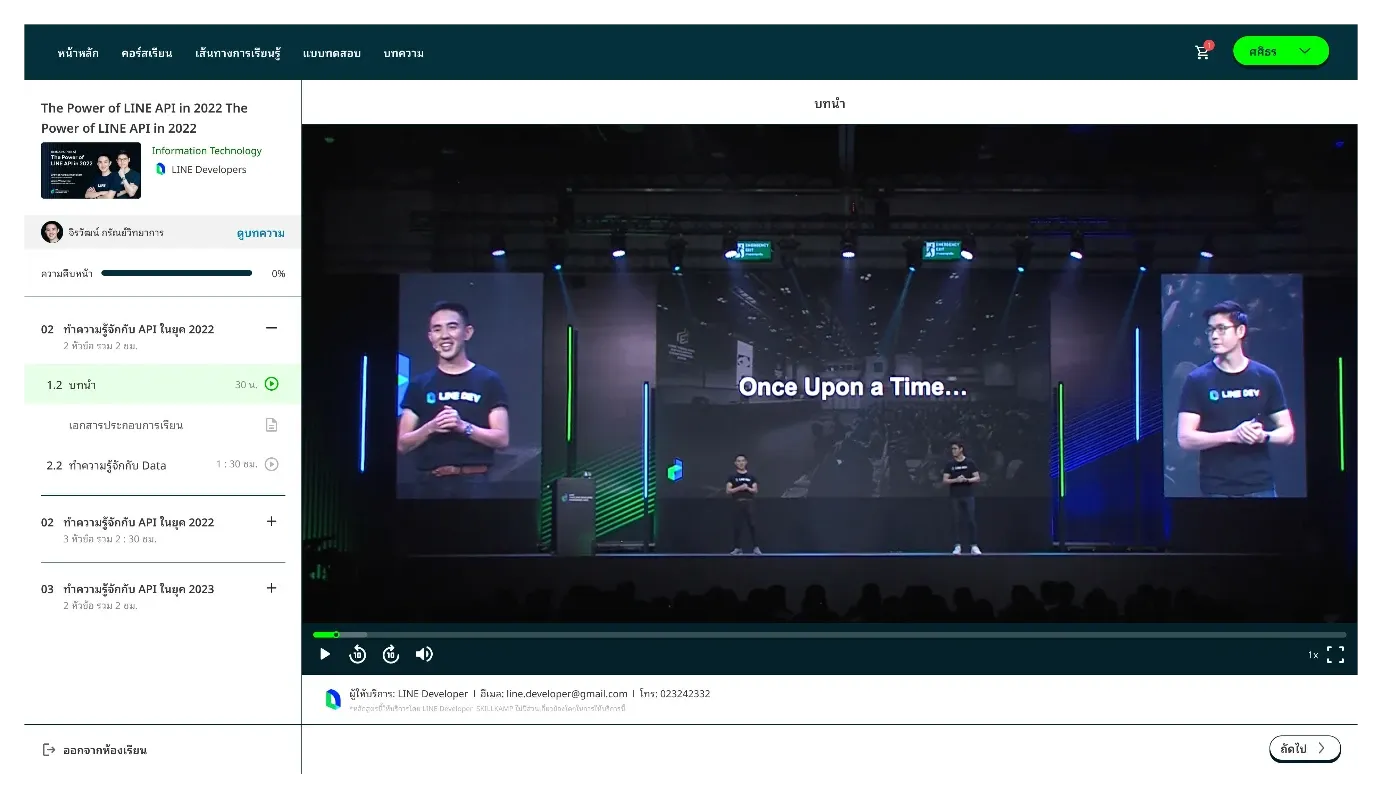
Keep learners oriented
Made course progress visible and separated lessons from supporting materials in the navigation. Familiar learning-platform conventions help users understand how to move through the course.
The design applies visibility of system status, user control and consistency, along with reduced memory load and grouping by proximity, common region and similarity.
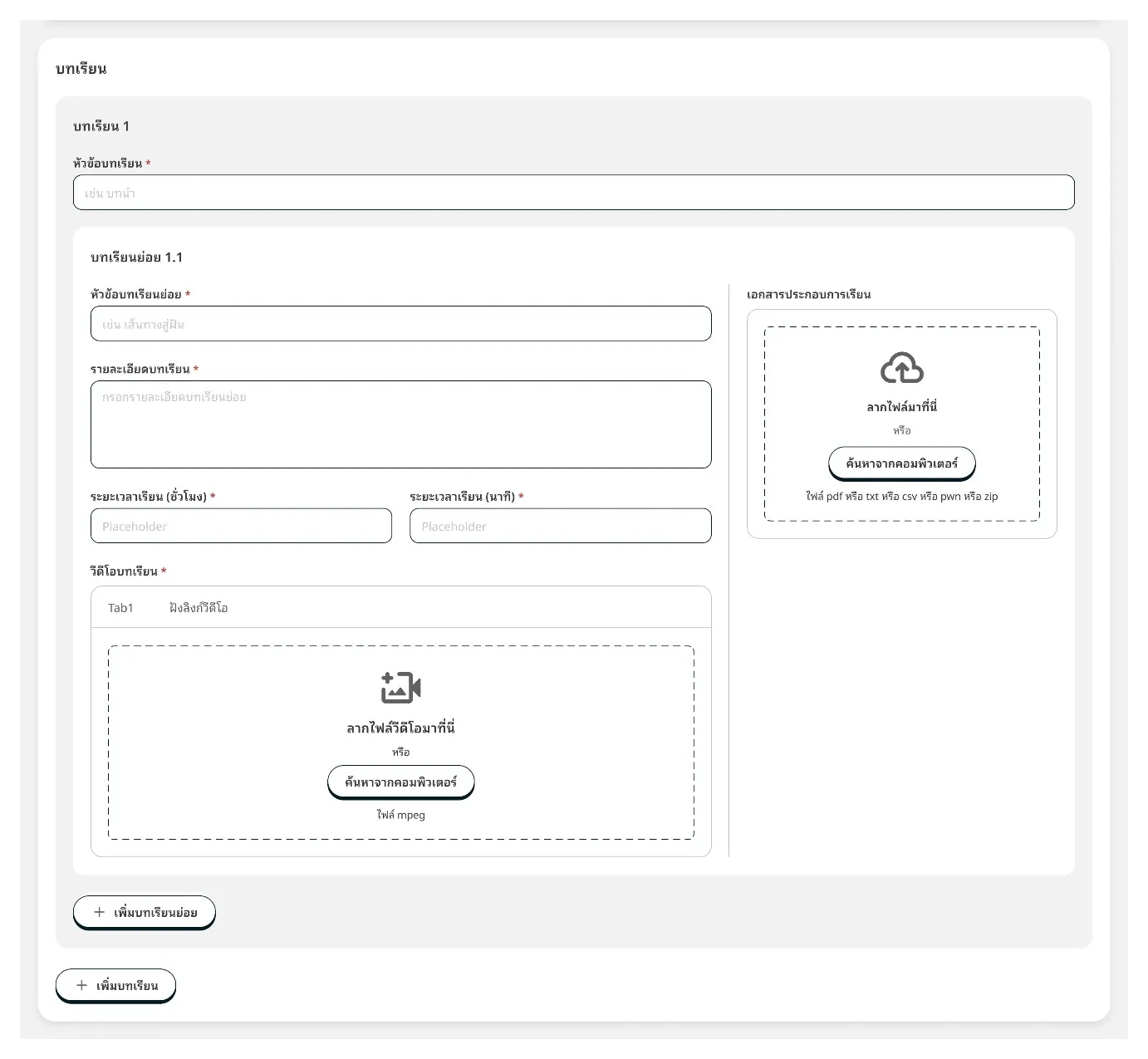
Bring structure to complex forms
The back office needed to cover many cases and complex forms. Applied Gestalt grouping principles to organize related inputs and make the relationships between fields easier to understand.